
Landscape
How to Install a French Drain: DIY Guide
Oct 16th 2026
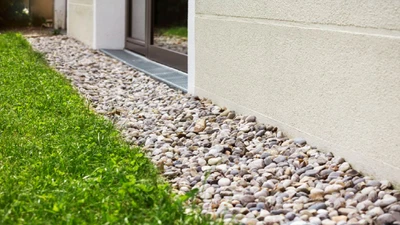
A beautiful lawn and garden can become a frustrating mess when water has nowhere to go. A properly i
…
See More


The Galcon Easy Program Flip Open LCD Timer makes automating your garden's hydration an absolute breeze. Designed specifically for users who want reliable, straightforward control without complex menus, this sleek and compact hose-end timer features a unique 3-step programming system. Simply use the fixed menu buttons to set your duration, your frequency, and an optional start delay. To ensure years of reliable performance, we highly recommend attaching a hose thread pressure regulator and a home garden filter directly beneath the timer to protect your drip system from high pressure and debris.
Despite its simple operation, this timer is built to last. It features a sturdy, solid body equipped with a protective flip-open front panel that shields the LCD and buttons from accidental damage and weather. The intelligent LCD display powers down automatically when not in use, stretching your 9-volt battery's life across the entire growing season. Complete with a manual "rain off" setting and a watertight battery compartment, it is the ideal, easy-to-use solution for any backyard garden or patio setup.
Detailed specifications for system planning.
| Specification | Details |
|---|---|
| Inlet / Outlet | Standard Female Hose Thread (FHT) / Male Hose Thread (MHT) |
| Flow Range | 0.5 to 5.2 Gallons Per Minute (GPM) |
| Operating Pressure | 15 to 100 PSI |
| Frequency (Start Times) | From every hour up to once a week |
| Watering Duration | 1, 2, 5, 10, 15, 30, or 45 mins — or 1, 2, or 4 hours |
| Power Source | One 9-Volt Industrial Alkaline Battery (Not Included) |
| MPN | GAL3S6G12P0 |
| Warranty | 2 Years |
Get your automated watering timer running in minutes with the EZ 3-step process.
Step 1: Install the Battery & Attach
Insert one fresh 9-volt industrial alkaline battery into the watertight compartment. Then, hand-tighten the timer directly onto your outdoor faucet.
Step 2: Set the Duration
Flip open the front panel and press the first button to select your desired watering time (from 1 minute up to 4 hours).
Step 3: Set the Frequency
Press the second button to select how often the timer should run (options range from every hour up to once a week).
Step 4: Set Start Delay (Optional)
If you do not want the timer to start immediately, use the delay function to push the first watering cycle to your preferred time of day.
How do I program this timer?
Use the simple 3-step process: set the watering duration with the first button, set the frequency with the second button, and apply a start delay if needed.
This eliminates complex menus and makes it incredibly easy to change your schedule throughout the growing season.
What is the flow rate range for the Galcon EZ timer?
The flow range is 0.5 to 5.2 gallons per minute (GPM), making it perfect for small home gardens, raised beds, and balcony drip systems.
If your irrigation layout requires more than 5.2 GPM, you should consider a high-flow battery timer or a multi-zone inline valve setup.
How does the "Rain Off" setting work?
The manual "Rain Off" setting suspends your programmed watering schedule during rainy weather without deleting your saved duration and frequency settings.
Once the rain stops, simply toggle the setting off, and your timer will resume its normal automated schedule immediately.
What type of battery does this timer use?
This timer requires one 9-volt industrial alkaline battery. We highly recommend using name-brand batteries and avoiding rechargeable options for the best reliability.
The LCD screen automatically powers down when you aren't pressing buttons, which helps a single battery last for many months.
Please note the following requirements:
Protect your investment and ensure optimal performance with these essential add-ons:
Oct 16th 2026

Oct 15th 2026
Oct 13th 2026

Oct 12th 2026