
Landscape
How to Install a French Drain: DIY Guide
Oct 16th 2026
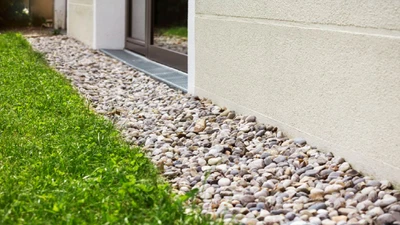
A beautiful lawn and garden can become a frustrating mess when water has nowhere to go. A properly i
…
See More


The Galcon LCD Hose End Timer (9001D) is a durable, user-friendly solution designed to automate your garden's hydration effortlessly. Engineered for installation directly onto a standard residential sillcock or garden faucet, this battery-powered controller brings precise scheduling to any landscape. Once connected to your mainline tubing with the appropriate irrigation fittings, the timer delivers highly efficient, hands-free watering for raised beds, balconies, and small lawns.
Programming is remarkably straightforward thanks to the large, easy-to-read LCD digital display and tactile rubber buttons. Whether you need a simple weekly schedule, a cyclic program for seed germination, or a quick manual override to wash the car, the Galcon 9001D offers versatile water conservation options. It's built to withstand the elements, ensuring year-after-year performance.
Detailed specifications for your watering system planning.
| Specification | Details |
|---|---|
| Product Type | Hose End Controller / Water Timer |
| Connections | 3/4" FHT (Inlet) x 3/4" MHT (Outlet) |
| Power Source | One 9-Volt Industrial Alkaline Battery (Not Included) |
| Operating Pressure | 15 - 100 PSI |
| Flow Range | 0.5 - 5.2 GPM (at 30 PSI) |
| Run Time Duration | 1 minute to 12 hours |
| Start Times | Up to 4 per day (Daily or up to every 7 days) |
| MPN | 9001D |
| Brand | Galcon |
| Warranty | 2 Years |
Get your automated watering system running in minutes.
Step 1: Install the Battery
Pull out the battery compartment located on the front of the timer. Connect a fresh, brand-name 9-Volt alkaline battery. Slide the compartment back in firmly to maintain the weather-resistant seal.
Step 2: Attach to Faucet
Ensure the included screen filter is seated correctly inside the top female collar. Thread the timer directly onto your outdoor spigot. Hand-tighten only to avoid stripping the plastic threads.
Step 3: Connect Head Assembly
Attach your required downstream components—such as a backflow preventer, inline filter, pressure regulator, and a hose thread to tubing adapter—to the male outlet at the bottom of the timer.
Step 4: Program the Timer
Use the physical buttons below the LCD screen to set the current time and day. Then, program your desired watering days, start times, and durations. Test the system using the manual override button.
Is this timer compatible with drip irrigation systems?
Yes! It is highly recommended for drip irrigation. You simply need to add a hose thread pressure regulator and filter to the bottom of the timer before connecting it to your drip tubing.
What battery does the Galcon 9001D use?
This unit requires one standard 9-Volt industrial alkaline battery. We strongly advise using high-quality batteries and replacing them at the beginning of every watering season.
Can I set multiple watering times per day?
Absolutely. You can program up to 4 individual start times per day, which is excellent for sandy soils, newly seeded lawns, or greenhouse misting applications.
What does the "manual rain off" feature do?
The rain off feature allows you to quickly suspend all scheduled watering operations during a rainstorm with the push of a button. Your programmed schedule remains saved in the timer's memory and will resume when you turn the feature off.
Do I need to remove this timer in winter?
Yes. Like all hose-end components, water left inside the plastic housing can freeze, expand, and crack the timer. Disconnect it from the spigot, drain it, and store it indoors during freezing temperatures.
Please note the requirements for this unit:
Build a professional-grade hose-end assembly with these essential add-ons:
Oct 16th 2026

Oct 15th 2026
Oct 13th 2026

Oct 12th 2026