Instantly Upgrade Your Rain Bird Controller to Smart Wi-Fi
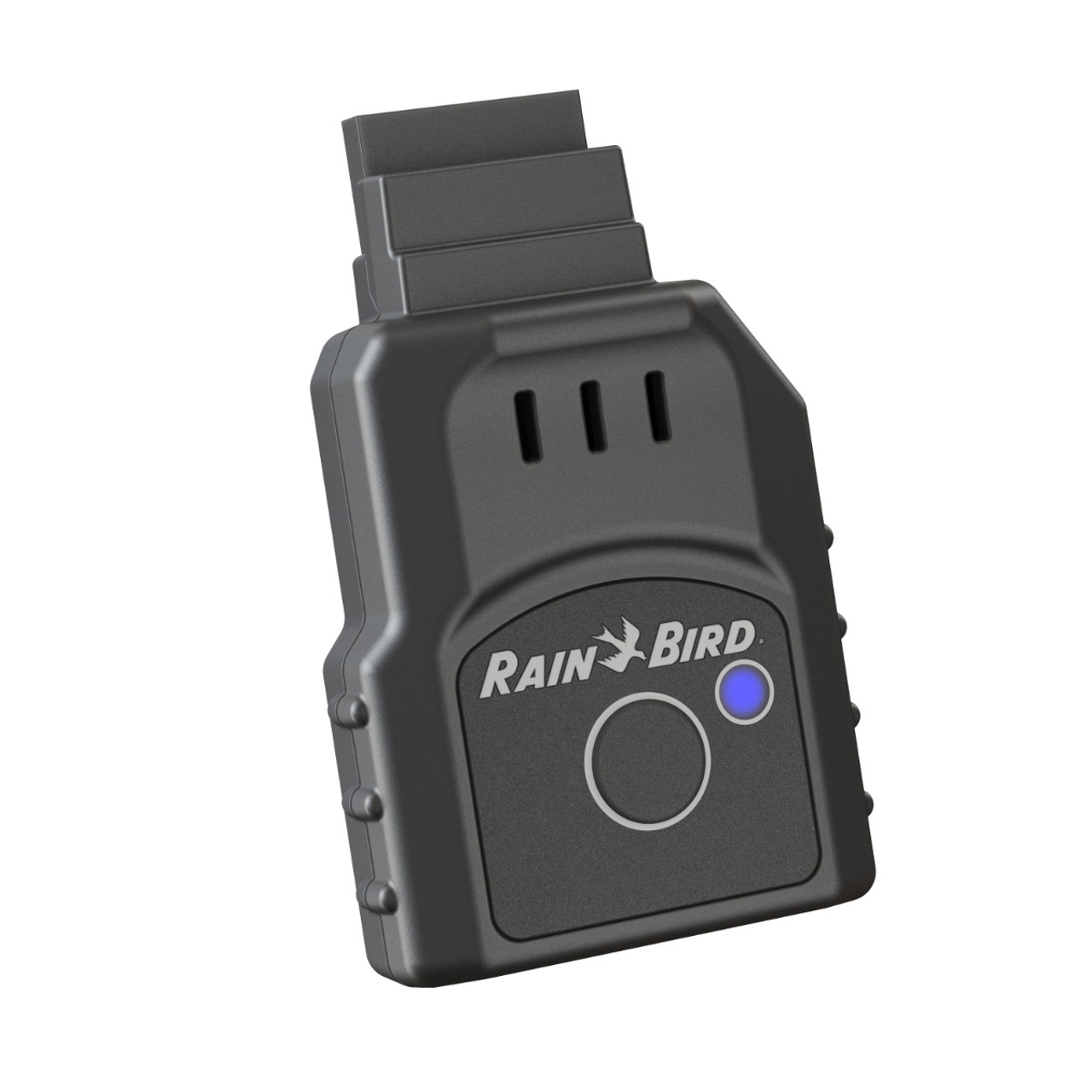
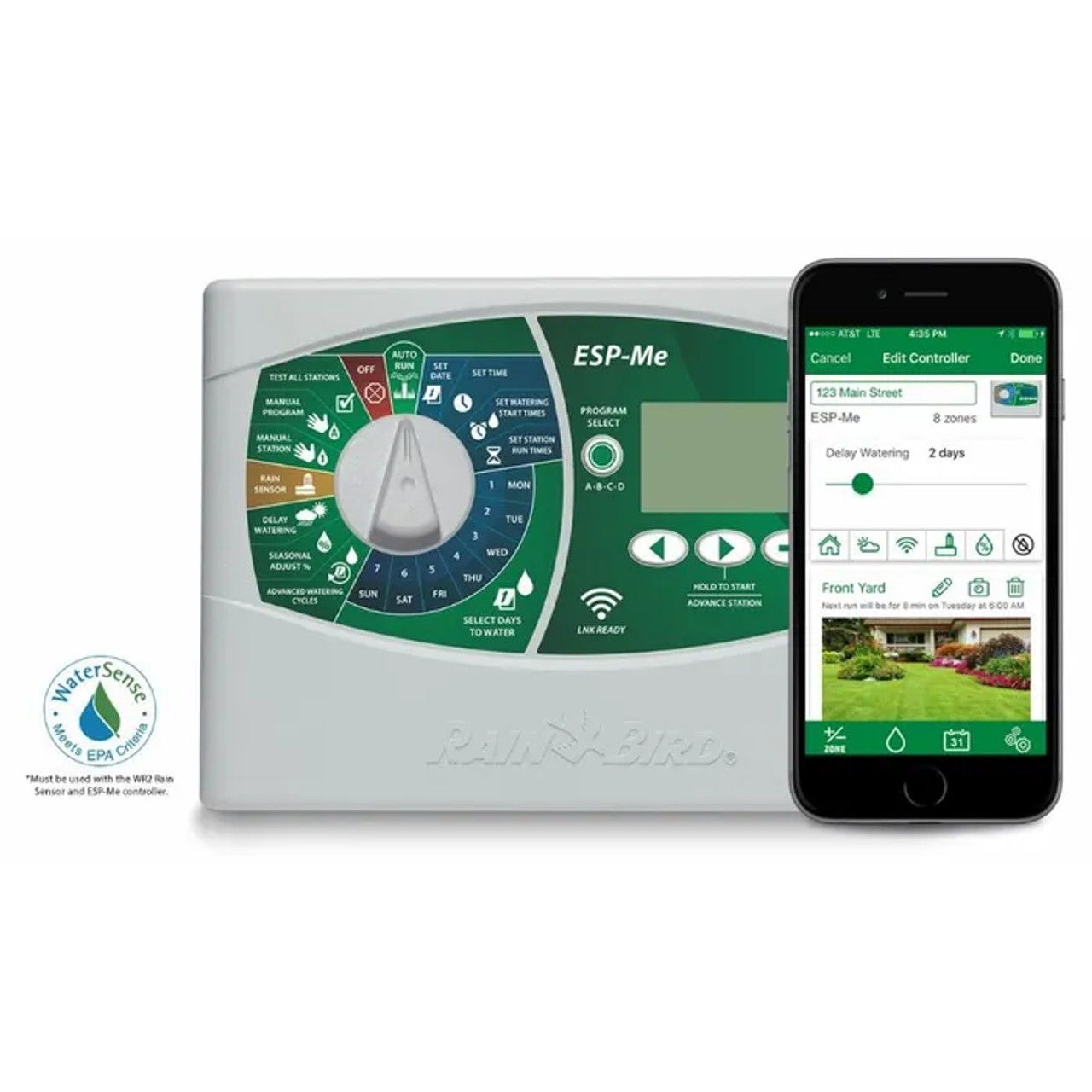
The Rain Bird LNK WiFi Module is a revolutionary plug-and-play accessory that instantly modernizes your existing irrigation system. Designed specifically for compatible Rain Bird ESP-TM2 and ESP-Me series controllers, this compact module slides directly into the controller's accessory port. Within minutes, it connects your standard timer to your home's Wi-Fi network, giving you complete, global access to your 24V AC irrigation valves directly from your smartphone or tablet.
By integrating the LNK WiFi Module, you unlock a suite of powerful, water-saving tools. The advanced Rain Bird mobile app provides convenient remote access, real-time system alerts, and highly efficient water management features. It utilizes live internet weather feeds to automatically adjust your daily watering schedules—scaling back during rain or cooler temperatures and increasing during heatwaves. This smart technology not only ensures a healthier landscape but can also save you up to 30% in water usage without any monthly subscription fees.
Why Choose the Rain Bird LNK WiFi Module?
- Instant Smart Upgrade: Easily convert your traditional Rain Bird ESP-TM2 or ESP-Me controller into a cutting-edge smart irrigation timer.
- Plug-and-Play Installation: Setup is as simple as sliding the module into the controller's dedicated accessory port—no tools or wiring required.
- Global Mobile Control: Use any iOS or Android mobile device to set, monitor, and make quick changes to watering schedules from anywhere in the world.
- Weather-Based Adjustments: Automatically alters watering durations based on real-time internet weather forecasting, saving water and money.
- Real-Time Alerts: Receive instant push notifications on your phone for freezing conditions or potential system issues.
Technical Specifications
Detailed specifications for system planning.
| Specification |
Details |
| Product Type |
Smart Wi-Fi Accessory Module |
| Compatible Controllers |
Rain Bird ESP-TM2 & ESP-Me (Mfg. after Nov 2, 2016) |
| Wireless Network Requirement |
2.4 GHz Wi-Fi Router |
| Mobile App Requirement |
Rain Bird App (Version 2.18 or later) |
| App Operating Systems |
Apple iOS & Android |
| Power Source |
Powered directly by the controller (24VAC) |
| Mounting Location |
Internal Controller Accessory Port |
| Brand |
Rain Bird |
| MPN |
LNK2WIFI |
How to Set Up: A Step-by-Step Guide
Connect your Rain Bird controller to Wi-Fi in minutes.
Step 1: Insert the Module
Open the front panel of your compatible Rain Bird ESP-TM2 or ESP-Me controller. Locate the dedicated accessory port on the back of the faceplate and firmly slide the LNK WiFi Module into the slot. The light on the module will begin to flash.
Step 2: Download the App
Using your smartphone or tablet, download the free Rain Bird mobile app from the Apple App Store or Google Play Store.
Step 3: Connect to Wi-Fi
Open the Rain Bird app and follow the on-screen instructions to pair the LNK module with your home's 2.4 GHz Wi-Fi network.
Step 4: Enable Smart Watering
Once connected, use the app to input your zip code to access local weather data. Enable "Automatic Seasonal Adjust" so the system can begin saving water based on live forecasting.
Frequently Asked Questions
Which Rain Bird controllers are compatible with the LNK WiFi Module?
The Rain Bird LNK WiFi Module is strictly compatible with Rain Bird ESP-TM2 controllers and Rain Bird ESP-Me controllers that were manufactured after November 2, 2016.
Older ESP-Me models or different Rain Bird series will not have the correct firmware or physical port to support this module.
Does the Rain Bird app require a monthly subscription?
No, the Rain Bird mobile app is completely free to download and use. There are no monthly subscription fees to access remote control features, weather data, or real-time alerts.
You only pay for the one-time purchase of the LNK WiFi hardware module.
What type of Wi-Fi network do I need?
The LNK WiFi Module requires a standard 2.4 GHz wireless router to connect to the internet. It is not compatible with 5 GHz-only networks.
Ensure that your Wi-Fi signal is strong enough to reach the location where your Rain Bird controller is mounted.
How should I prepare my Rain Bird LNK WiFi Module for spring watering?
To prepare your Rain Bird LNK WiFi Module for spring, open the Rain Bird app to ensure your firmware is up-to-date, verify the controller is connected to your Wi-Fi, and ensure "Automatic Seasonal Adjust" is toggled on.
This ensures the smart software will automatically suppress watering during heavy spring rain showers, saving you money early in the season.
✔ Compatibility Check
Please note the strict requirements for this smart upgrade:
- Controller Required: This is a plug-in accessory only. It requires a compatible Rain Bird ESP-TM2 or ESP-Me (post-Nov 2016) controller to function.
- App Version: Requires the Rain Bird mobile app version 2.18 or later.
- Wi-Fi Signal: Requires a 2.4 GHz Wi-Fi connection that reaches the physical location of your controller.
Complete Your System
Ensure your smart AC irrigation system is ready to run with these recommended products:
- 24V AC Irrigation Valves: Browse our selection of highly reliable AC inline valves to pair perfectly with your upgraded Rain Bird controller.
- Rain Bird ESP Controllers: Need the controller too? Browse the compatible Rain Bird base models that accept this LNK module.
- 1/2" Mainline Tubing: The standard backbone for delivering water from your automated manifold directly to your landscape beds.
Downloads
Relevant Tips & Guides