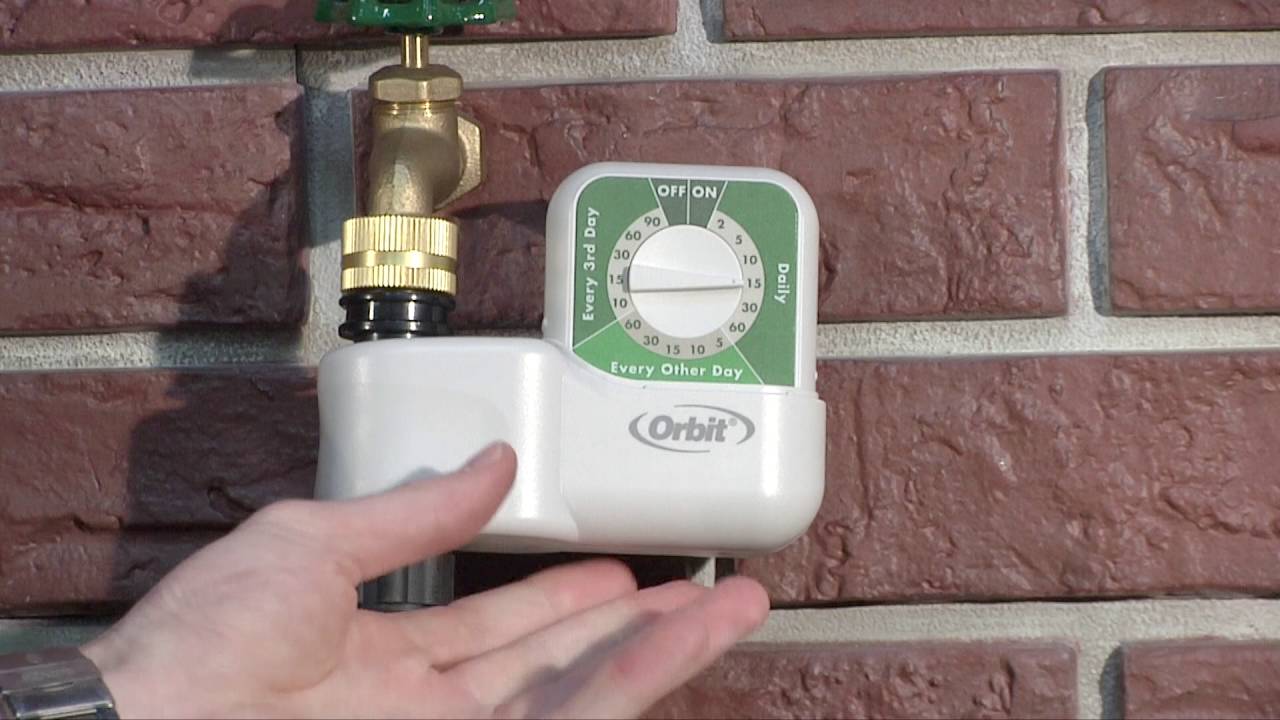
The Orbit Single Dial Timer is designed for gardeners who want reliable, hassle-free irrigation scheduling without complex programming. With its intuitive single-dial operation, you can set your watering frequency and duration in seconds—just turn the dial to the desired setting and watch your garden get exactly the hydration it needs. A built-in protective shield keeps the timer face safe from dust, dirt, bugs, and weather, ensuring long-lasting outdoor performance.
Operating on standard battery power, this timer easily attaches directly to your outdoor faucet with standard hose threads. It is an excellent starting point for any backyard drip irrigation setup. To ensure your system runs flawlessly and your emitters stay clog-free, we highly recommend installing a Home Garden Filter and a pressure regulator immediately after the timer.
Why Choose the Orbit Single Dial Timer?
Extremely Easy to Program: A single, straightforward dial controls everything. No complicated menus or digital buttons to navigate.
Protective Weather Shield: Comes with a durable cover that protects the dial from rain, sun damage, and outdoor debris.
Manual Watering Mode: Easily bypass the schedule for manual on/off watering when your plants need an extra drink.
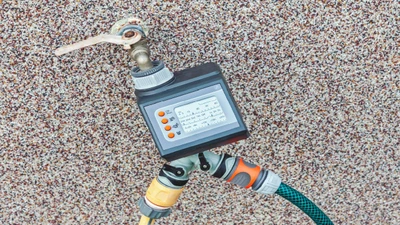
Standard Hose Connections: Features a standard Female Hose Thread (FHT) inlet and Male Hose Thread (MHT) outlet for seamless integration with standard garden hoses and drip system head assemblies.
Technical Specifications
Detailed specifications for system planning.
Specification
Details
Inlet / Outlet Size
3/4" Female Hose Thread (FHT) Inlet x 3/4" Male Hose Thread (MHT) Outlet
Start Times (Frequency)
Daily, Every 2nd Day, or Every 3rd Day
Watering Duration
2 to 90 Minutes
Operating Pressure Range
10 to 80 PSI
Flow Range
0.5 to 6.5 Gallons Per Minute (GPM)
Power Source
Two AA Alkaline Batteries (Not Included)
Warranty
2 Years
MPN
62024
How to Set Up: A Step-by-Step Guide
Get your timer connected and programmed in just a few minutes.
Step 1: Install Batteries
Remove the battery tray from the back of the timer. Insert two fresh, high-quality AA alkaline batteries, ensuring the correct polarity. Slide the tray securely back into place.
Step 2: Connect to Faucet
Attach the top female hose thread (FHT) inlet of the timer directly to your outdoor hose bibb (faucet). Hand tighten only to ensure a leak-free seal without damaging the plastic threads.
Step 3: Program the Timer
Turn the single dial to select your desired combination of watering duration (2 to 90 minutes) and frequency (Daily, Every 2nd day, or Every 3rd day). The timer is now set and will water automatically based on the time you first turned the dial.
Step 4: Attach System Components
Connect your filter, pressure regulator, and drip irrigation mainline tubing adapter to the male hose thread (MHT) outlet at the bottom of the timer. Turn on the water at the faucet.
Frequently Asked Questions
Is the Orbit Single Dial Timer easy to program? Yes, the Orbit Single Dial Timer is incredibly easy to program. You simply turn the single dial to your desired watering duration and frequency. There are no complex digital menus or multiple buttons to navigate.
This makes it the perfect choice for beginners or anyone who wants a straightforward "set it and forget it" solution.
Do I need a pressure regulator with the Orbit Single Dial Timer? Yes, if connecting to a drip system, you must install a pressure regulator after the Orbit Single Dial Timer. Standard drip irrigation components require 30 PSI or lower to prevent blowouts and leaks.
Attach your filter to the bottom of the timer first, followed by your pressure regulator, and finally your tubing adapter.
How long do batteries last in the Orbit Single Dial Timer? With normal seasonal use, a pair of high-quality AA alkaline batteries will typically last a full watering season (6 to 9 months) in the Orbit Single Dial Timer.
We highly recommend installing fresh alkaline (not rechargeable) batteries at the beginning of every spring to ensure reliable operation all year.
How do I set the Orbit Single Dial Timer for early morning summer watering? Because the Orbit Single Dial Timer starts its schedule from the exact moment you program it, simply turn the dial to your desired frequency early in the morning. It will repeat automatically at that same time.
Watering early in the morning during peak summer heat minimizes evaporation and ensures your plants have the hydration they need before the hottest part of the day.
✔ Compatibility Check
Please note the requirements for this unit:
Thread Type: Designed to attach exclusively to standard 3/4" Hose Threads (Faucet/Spigot). It is not compatible with Pipe Threads (NPT) without adapters.
Power Requirement: Requires (2) AA Alkaline Batteries for operation.
Flow Limits: Requires a minimum flow of 0.5 GPM and a maximum flow of 6.5 GPM to operate correctly.
Complete Your System
Ensure your drip irrigation head assembly is fully equipped with these essential additions:
Warning:
This product can expose you to Lead, which is known to the State of California to cause cancer and birth defects or other reproductive harm. For more information go to www. P65Warnings.ca.gov.
Related Resources
Drip Irrigation
Smart Irrigation Controllers vs. Traditional Timers
Oct 22nd 2026
A good irrigation system delivers the right amount of water at the right time and frequency, and aut
…